
The Problem
Every JavaScript project picks a different package manager. You jump between repos, one uses pnpm workspaces, the next has a yarn.lock, the one after that is a fresh Bun project, and your muscle memory constantly betrays you. You type npm install in a pnpm repo, corrupt the lockfile, and spend twenty minutes debugging a problem that should never have existed.
Beyond package management, every project also scatters its own one-liners for git hooks, Prisma migrations, and Docker builds. None of it is discoverable without digging through package.json, Makefiles, or a README that’s two years out of date.
The average JS developer works across 3-5 different repos with different package managers. The cognitive overhead is real, even if each individual switch takes only seconds.
The real cost isn’t the seconds. It’s the broken context switch. It’s running the wrong command, waiting for it to fail, reading the error, and then remembering which package manager this repo uses.
The Solution
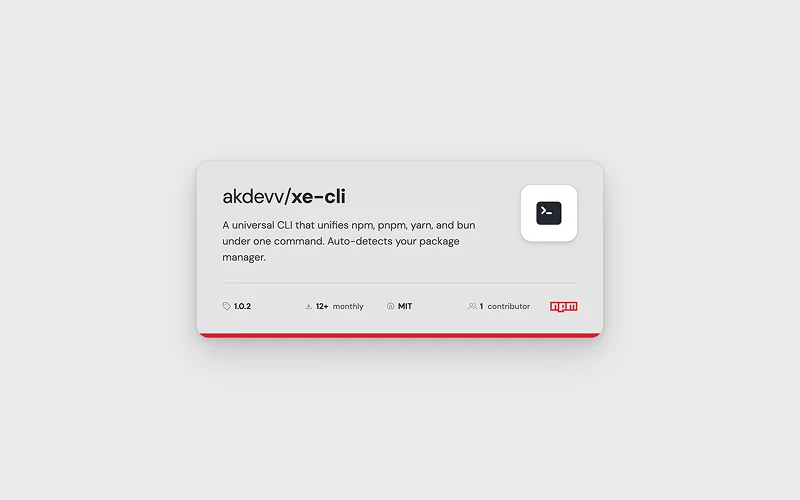
xe-cli detects which package manager a project uses from the lockfile, from package.json, and from whatever clues are available, then maps every command to the right binary automatically.
You type xe install, and it runs pnpm install or npm install or bun install, whichever is correct for that project. No config. No flags. No thinking. It just works.
On top of that, xe extends the command surface with built-in sub-commands for Git, GitHub, Prisma, Docker, and Shadcn — the things full-stack developers run daily and usually have scattered across five different CLIs.
Installation
npm install -g xe-cli
# or
pnpm add -g xe-cli
# or
yarn global add xe-cli
# or
bun add -g xe-cli
Command Reference
Core Package Manager
xe install <package>      # Install packages
xe i <package>            # Alias for install
xe install -D <package>   # Install as dev dependency
xe uninstall <package>    # Uninstall packages
xe init                   # Initialize project
xe run <script>           # Run npm script
xe build                  # Run build script
xe lint                   # Run lint script
Git — xe git / xe g
xe git add [files...]          # Add files (default: all)
xe git push [remote] [branch]  # Push to remote (auto-detects branch)
xe git push -u                 # Push and set upstream
xe git save [message]          # Add + commit + push in one command
xe git sync                    # Pull with rebase + push

# Any unrecognised sub-command passes through to native git
xe git status
xe git commit -m "message"
xe git log --oneline
GitHub — xe gh
xe gh                           # Status dashboard (auth, repo, PRs, issues)

# Repository
xe gh repo-create <name>        # Create new repository
xe gh repo-create <name> --public
xe gh clone <repo>              # Clone repository

# Pull Requests
xe gh pr-create                 # Create PR (opens in browser)
xe gh prc                       # Alias for pr-create
xe gh pr-checkout <number>      # Checkout PR locally
xe gh pco <number>              # Alias for pr-checkout
xe gh pr-merge [number]         # Merge PR
xe gh pr-merge <number> --squash
xe gh pr-merge <number> --rebase
xe gh pr-view [number]          # View PR details
xe gh approve <number>          # Approve PR
xe gh approve <number> -c "LGTM!"

# Issues
xe gh issue-create              # Create issue (opens in browser)

# Power workflows
xe gh ship [message]            # add → commit → push → PR in one command
xe gh sync                      # Fetch + pull latest changes
xe gh quickfix <issue>          # Create branch from issue, ready to work

# Passthrough to gh CLI
xe gh workflow run deploy
xe gh release create v1.0.0
Docker — xe docker / xe dk
xe docker up                    # Start containers (docker-compose up -d)
xe docker down                  # Stop and remove containers
xe docker restart               # Restart containers
xe docker stop [service]        # Stop without removing
xe docker start [service]       # Start stopped containers

xe docker logs [service]        # Show logs
xe docker logs -f [service]     # Follow logs
xe docker ps                    # List running containers

xe docker build                 # Build images
xe docker exec <service> <cmd>  # Execute in container
xe docker exec web bash         # Open bash in container

xe docker prune                 # Remove unused resources
xe docker prune -a              # Remove all unused images
xe docker prune -a -v           # Prune including volumes
Prisma — xe prisma
xe prisma                       # generate + pull + push (full sync)
xe prisma generate              # Generate Prisma Client
xe prisma gen                   # Alias for generate
xe prisma migrate [options]     # Run migrations
xe prisma migrate -n "name"     # Run migration with name
xe prisma studio                # Open Prisma Studio
xe prisma push                  # Push schema to database
xe prisma pull                  # Pull schema from database

# Passthrough
xe prisma format
xe prisma validate
xe prisma db seed
xe prisma migrate reset
xe prisma migrate deploy
Shadcn — xe shadcn
xe shadcn init              # Initialize shadcn-ui
xe shadcn add <component>   # Add component
xe shadcn rm <component>    # Remove component
Real-World Examples
# Quick development workflow
xe i express typescript       # Install packages
xe gh quickfix 123            # Create branch from issue #123
# ... make changes ...
xe gh ship "Fix login bug"    # Commit + push + create PR

# Database workflow
xe prisma                     # Sync everything (generate + pull + push)
xe prisma migrate -n "add-users"
xe prisma studio

# Docker development
xe docker up                  # Start services
xe docker logs -f api         # Watch API logs
xe docker exec api bash       # Debug in container
xe docker prune               # Cleanup when done

# Git shortcuts
xe g save "WIP"               # Quick save (add + commit + push)
xe g sync                     # Sync with remote
xe g status                   # Regular git commands pass through
Configuration
xe-cli creates a .xerc file in your project root on first run:
{
  "version": "1.0.0",
  "extensions": {
    "git": true,
    "github": true,
    "prisma": true,
    "docker": true,
    "shadcn": true
  },
  "aliases": {},
  "customCommands": {},
  "pm": "auto",
  "features": {
    "autoCommit": false
  }
}
You can also define custom shorthand aliases:
{
  "aliases": {
    "t": "run test",
    "s": "run start"
  }
}
Architecture
xe-cli/
├── src/
│   ├── index.ts          # CLI entry, Commander.js root
│   ├── detect.ts         # Package manager detection logic
│   ├── commands/
│   │   ├── package.ts    # install / add / remove / run
│   │   ├── git.ts        # commit / push / branch shortcuts
│   │   ├── prisma.ts     # migrate / generate / studio
│   │   ├── docker.ts     # up / down / build / logs
│   │   └── shadcn.ts     # add / list components
│   └── utils/
│       └── spawn.ts      # child_process wrapper with inherited stdio
└── tsup.config.ts        # ESM + CJS dual build
Detection Logic
The core is a dispatcher that resolves the correct package manager binary at invocation time. It walks up the directory tree looking for lockfiles before falling back to the packageManager field in package.json.
Project root scan (walks up from cwd)
  ├── pnpm-lock.yaml    -> pnpm
  ├── yarn.lock         -> yarn
  ├── bun.lockb         -> bun
  ├── package-lock.json -> npm
  └── package.json
        └── "packageManager" field -> use that binary
        └── (none found)           -> default npm
If the lockfile is ambiguous or missing, the fallback chain ensures xe never silently uses the wrong tool.
Command Registry Pattern
Commands are registered with Commander.js in a command registry pattern, so each sub-command lives in its own module and registers itself against the root program. Adding a new integration such as xe drizzle is a small, obvious change instead of a rewrite.
Zero-copy Stdio
Child process execution uses Node’s child_process.spawn with inherited stdio, so spinner and color output from the underlying tool passes through intact. xe doesn’t try to parse or capture output. It just proxies the stream. That means you get the same output you’d get from running the tool directly, including interactive prompts, color formatting, and progress indicators.
Tech Stack
| Layer | Tool | Reason |
|---|---|---|
| Runtime | Node.js 22 | Ships everywhere, zero install friction |
| Language | TypeScript 5 | Type-safe command dispatch |
| CLI Framework | Commander.js | Battle-tested, minimal overhead |
| Output | chalk + ora | Color and spinners that degrade gracefully |
| Build | tsup + esbuild | Single bundled output, fully tree-shaken |
| Distribution | npm registry | npx xe-cli works without global install |
Key Decisions
Why not a monorepo with separate packages per tool? Each integration is small enough that splitting would add more friction than value. A single package is simpler to install, simpler to update, and simpler to reason about.
Why proxy stdio instead of capturing it? Early versions tried to parse output to provide structured feedback. That broke immediately with tools that use ANSI escape codes, custom spinners, or interactive prompts. Passthrough is simpler, more robust, and more respectful of the underlying tool’s UX.
Why zero runtime dependencies? The published package should install in milliseconds and never break because a transitive dependency published a bad update. Everything is bundled at build time via tsup. The only things running at runtime are Node builtins.
Outcome
Published to npm. Available via npx xe-cli without a global install.
The project reinforced a principle I keep coming back to: the best developer tools are the ones that disappear. They do exactly what you expect with the least possible friction and never make you think about themselves.